Redesign Laudspeaker Messaging Automation Platform
Overview
Laudspeaker is a dynamic marketing automation platform enabling users to effortlessly design and automate messaging journeys through a user-friendly drag-and-drop interface. Despite attracting new users, we faced a low conversion rate. As lead designer, I revamped the core feature, the Journey Builder, to elevate user experience and drive conversions.
New users were leaving due to challenges in using the core feature during their trial
What does the current Journey Builder look like?
To find why users were leaving during the trial, I studied journey creation sessions and conducted a heuristic evaluation.
Users were unable to create journeys, because...
Design goals
Ideation
Framework
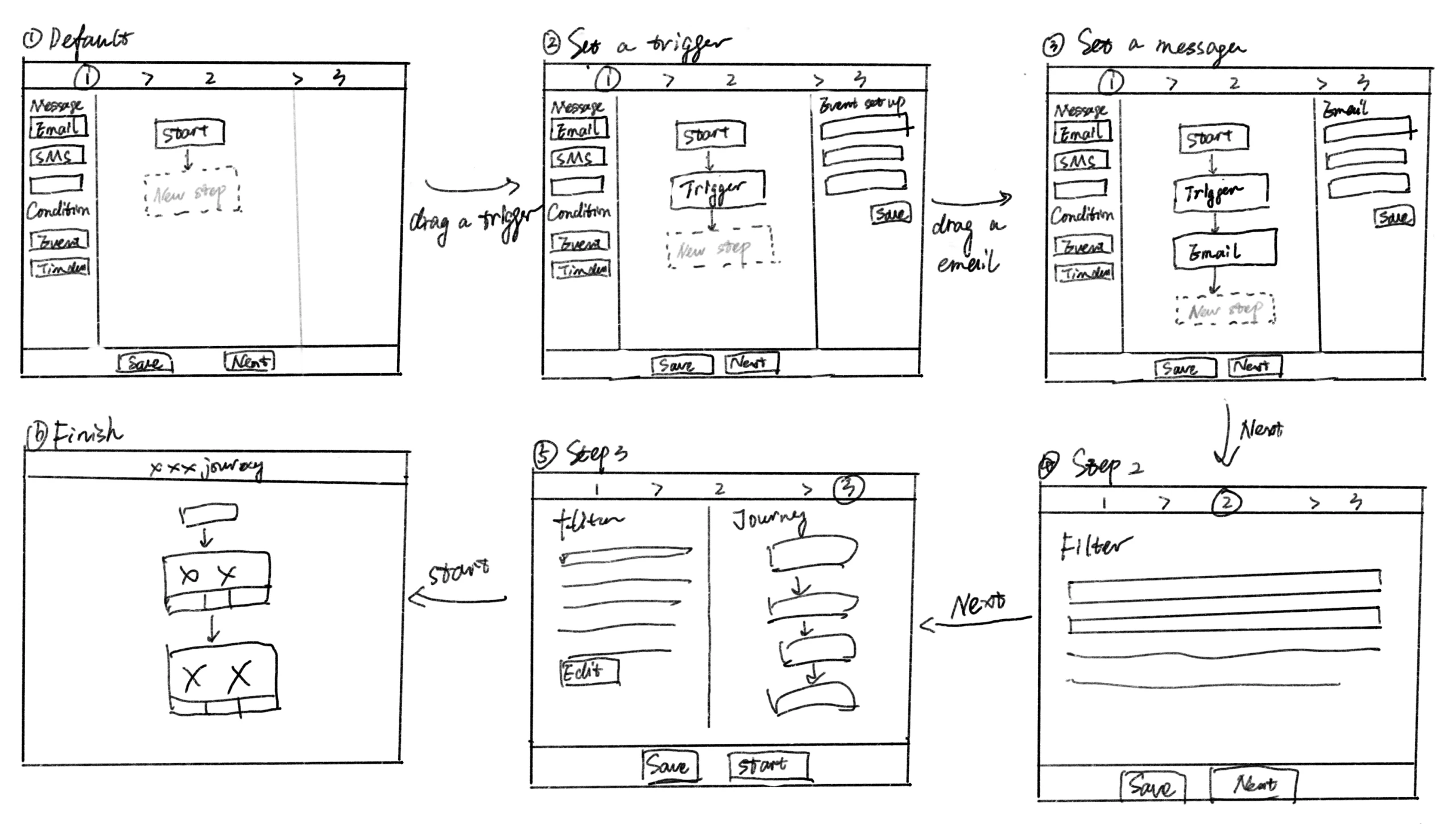
I began with an initial framework to maintain consistent page layouts during journey creation. This ensured uniform user experiences and minimized confusion, covering button placement and interactions.
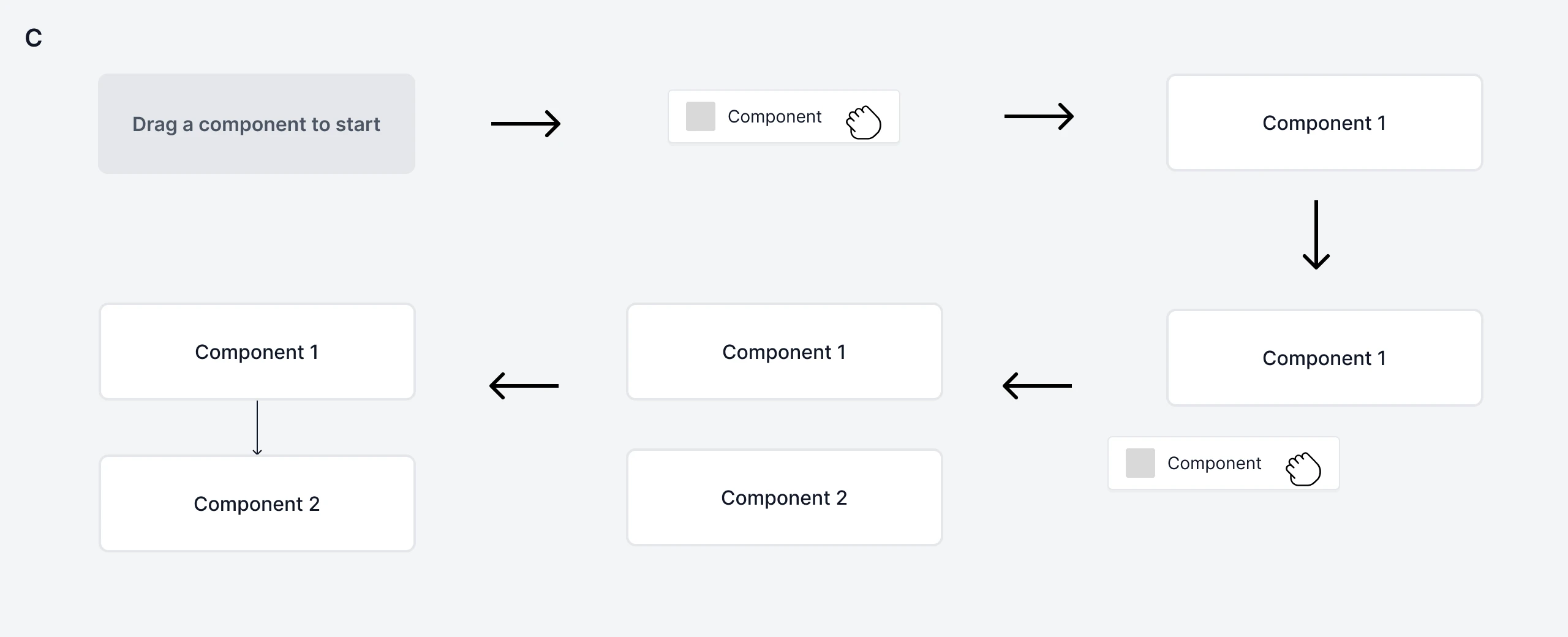
Adding a component
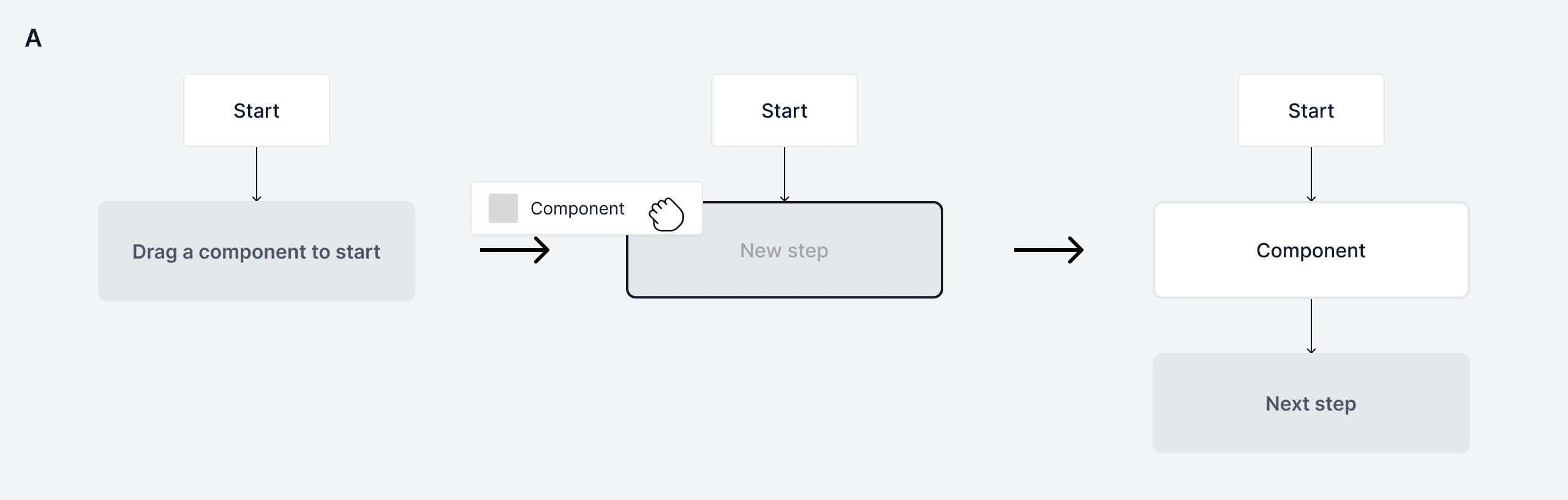
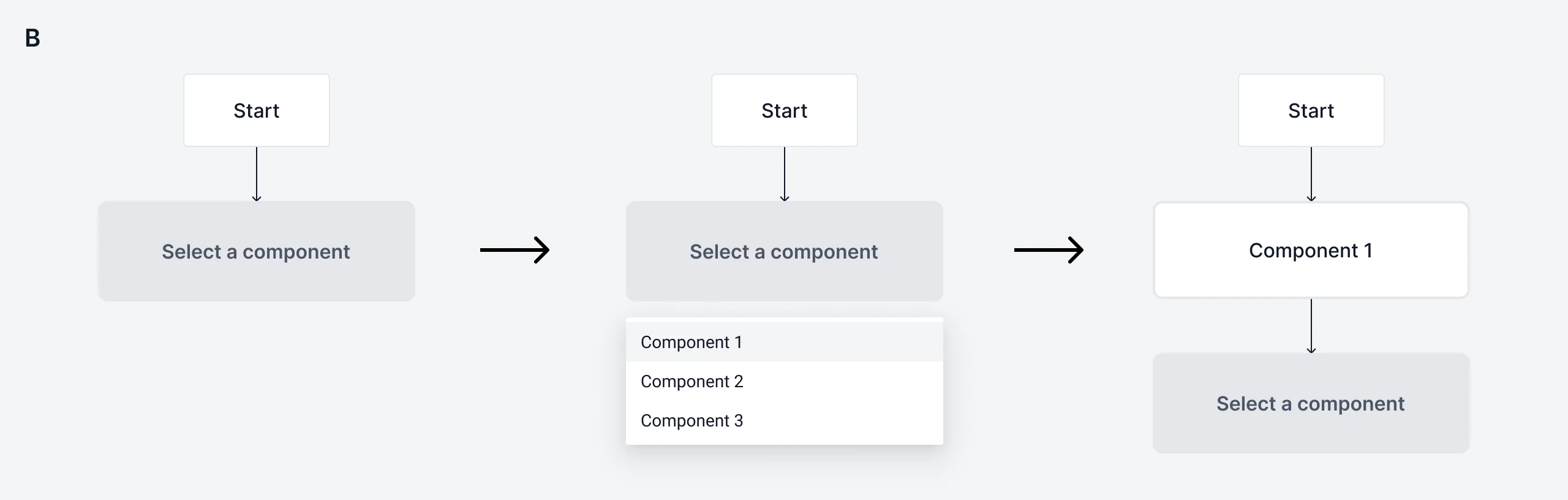
Next, I explored different ideas on adding a component. As this action repeats for multiple components, I aimed to minimize steps.
Detailed configurations
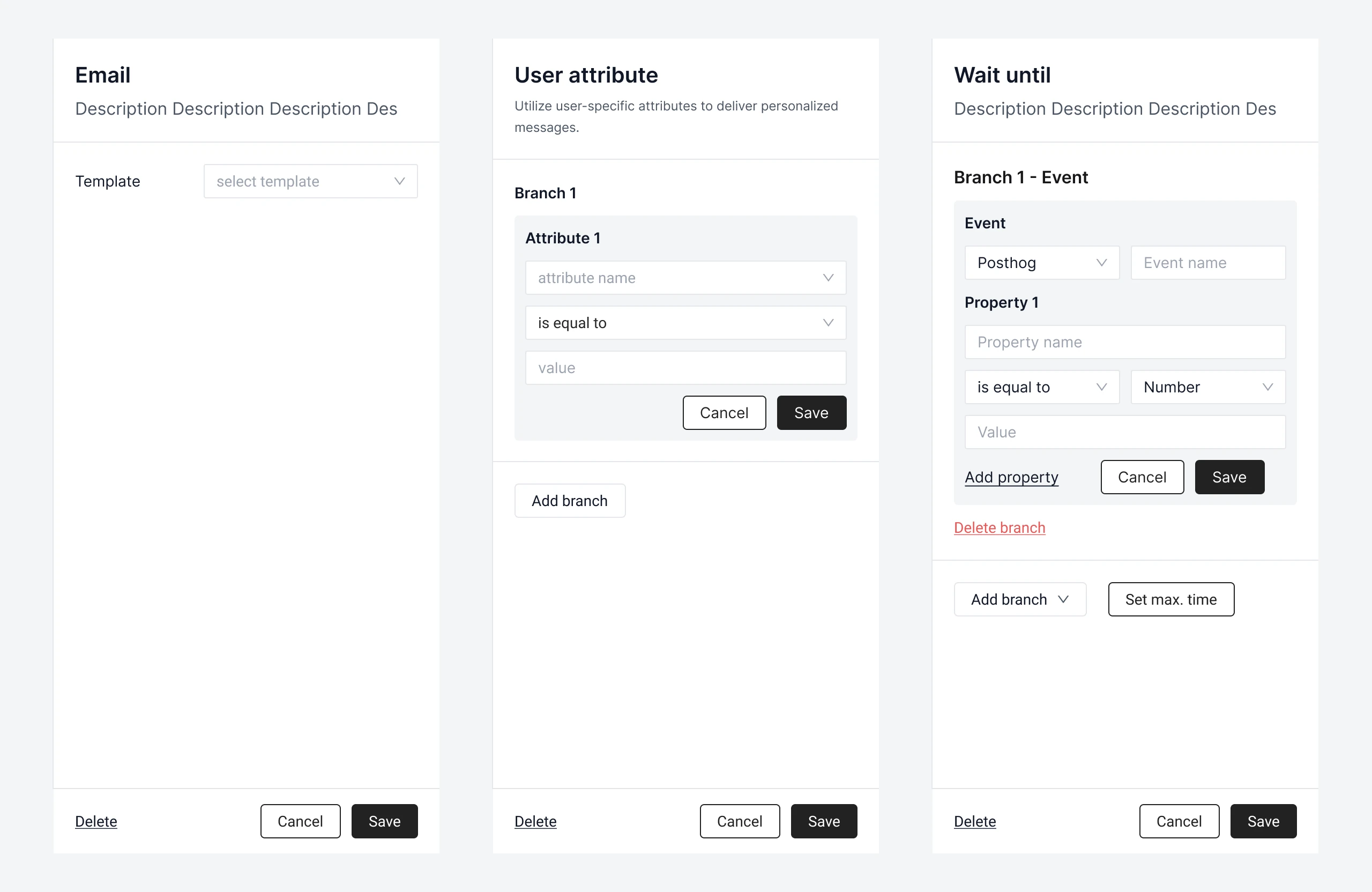
Lastly, I tackled detailed settings for each component. Considering diverse settings, I emphasized uniformity, scalability, and readability in design decisions.
Final polish
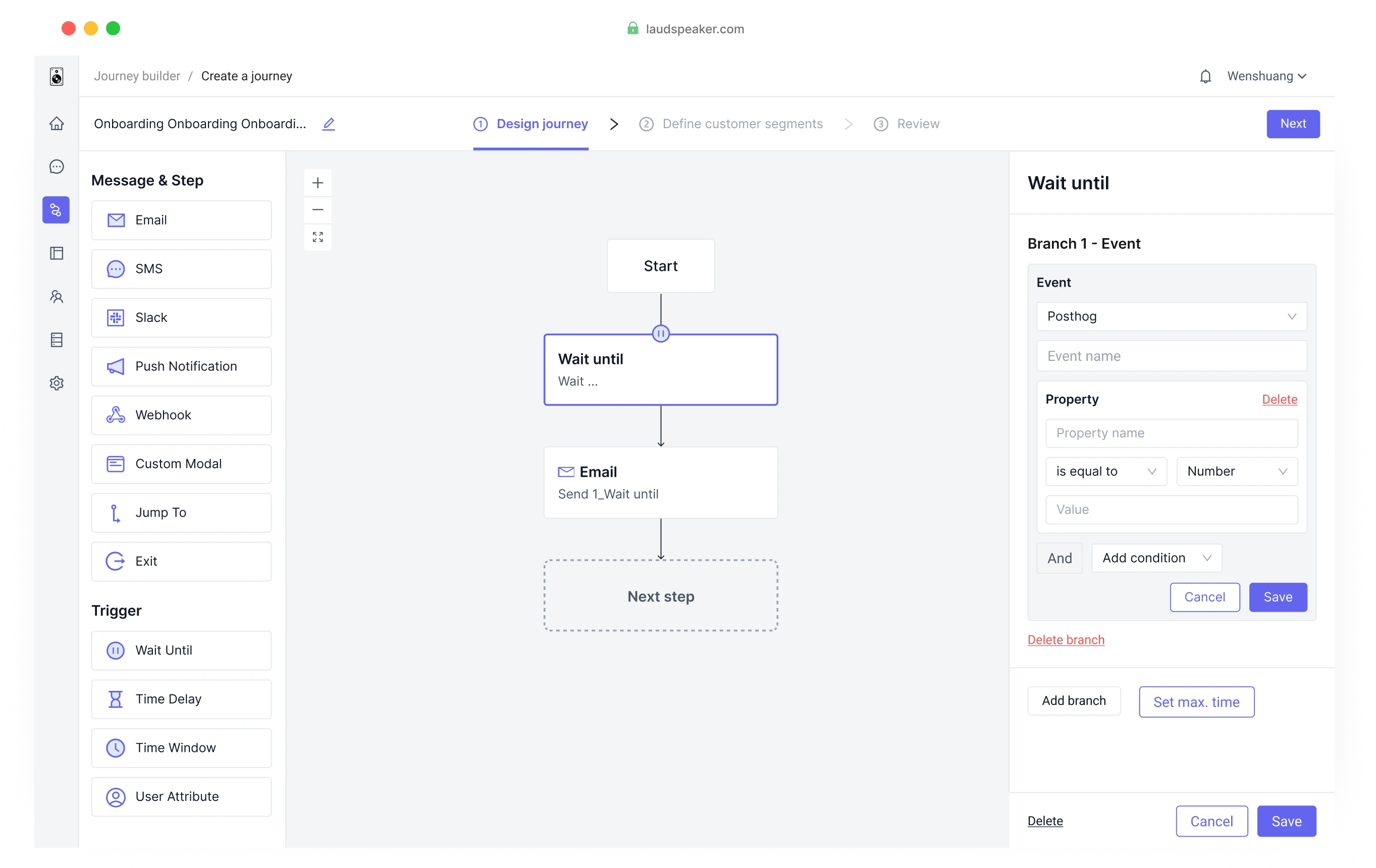
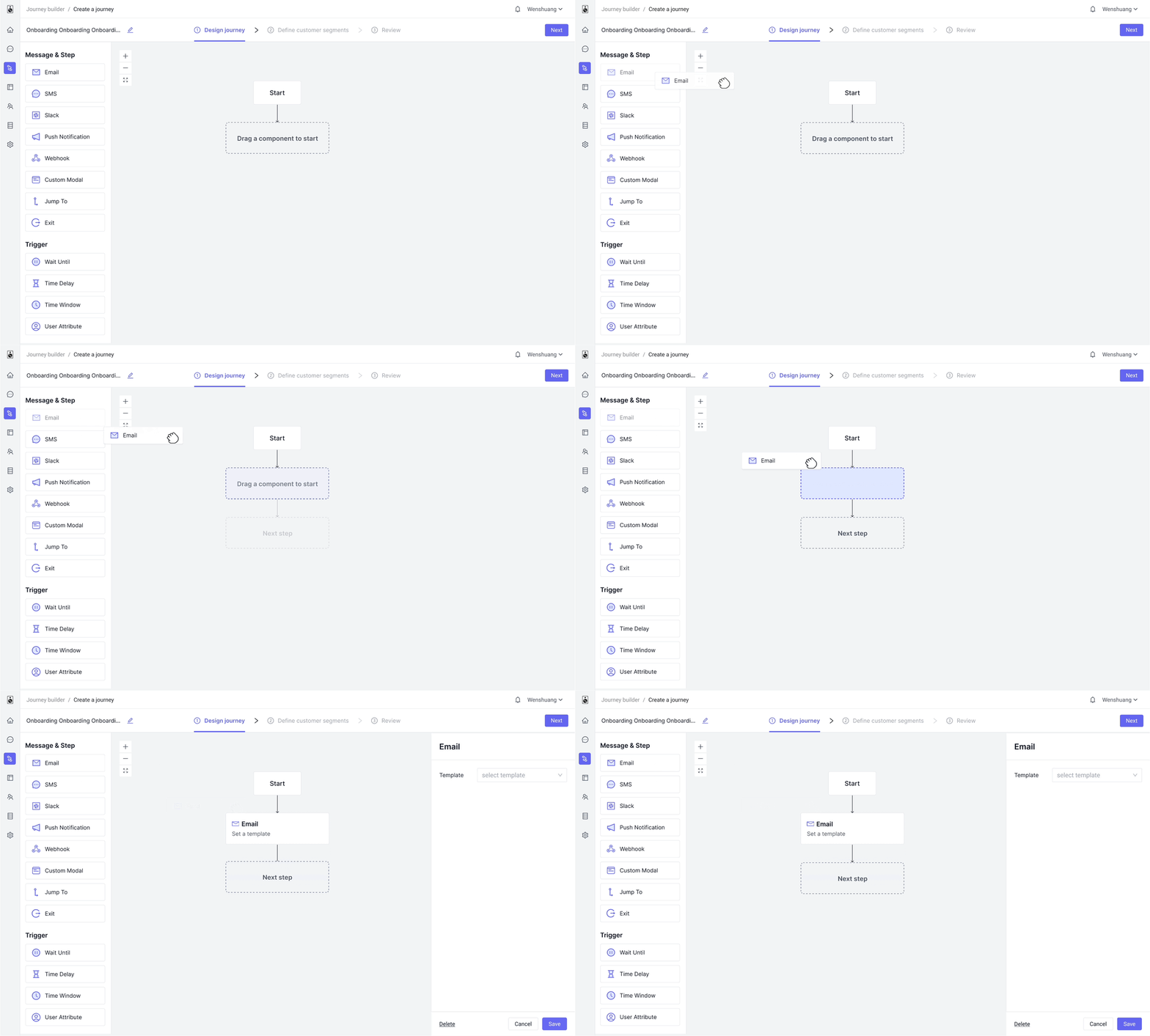
3 steps to create
Creating a component now takes only 3 steps: drag > drop > set, reduced from previous 7 steps.
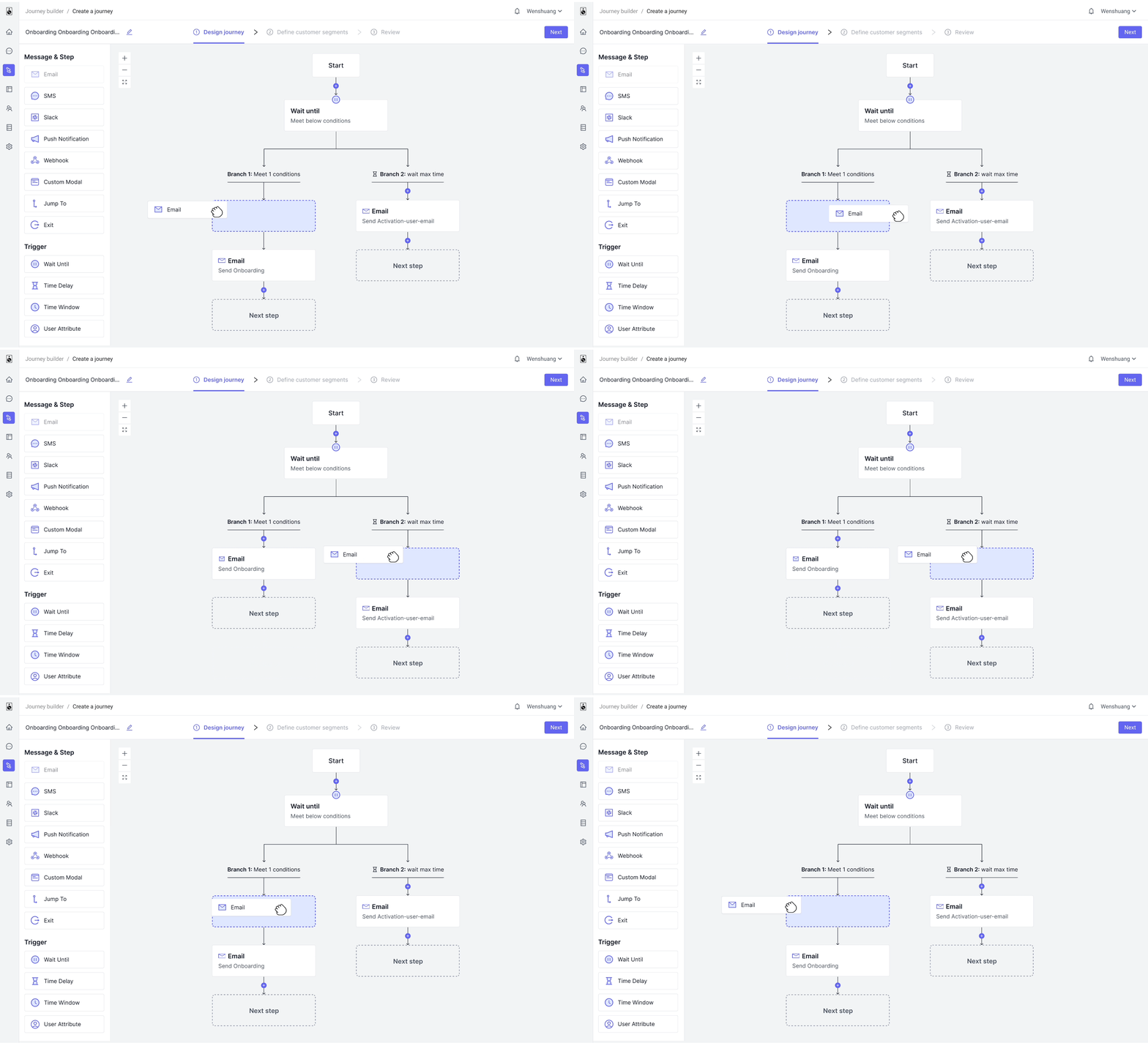
Useful visual hints
Ample visual hints guide users seamlessly through each step.
Simplified configuration
Modularizing complex configuration forms for easy reading, while fostering user familiarity with layouts.
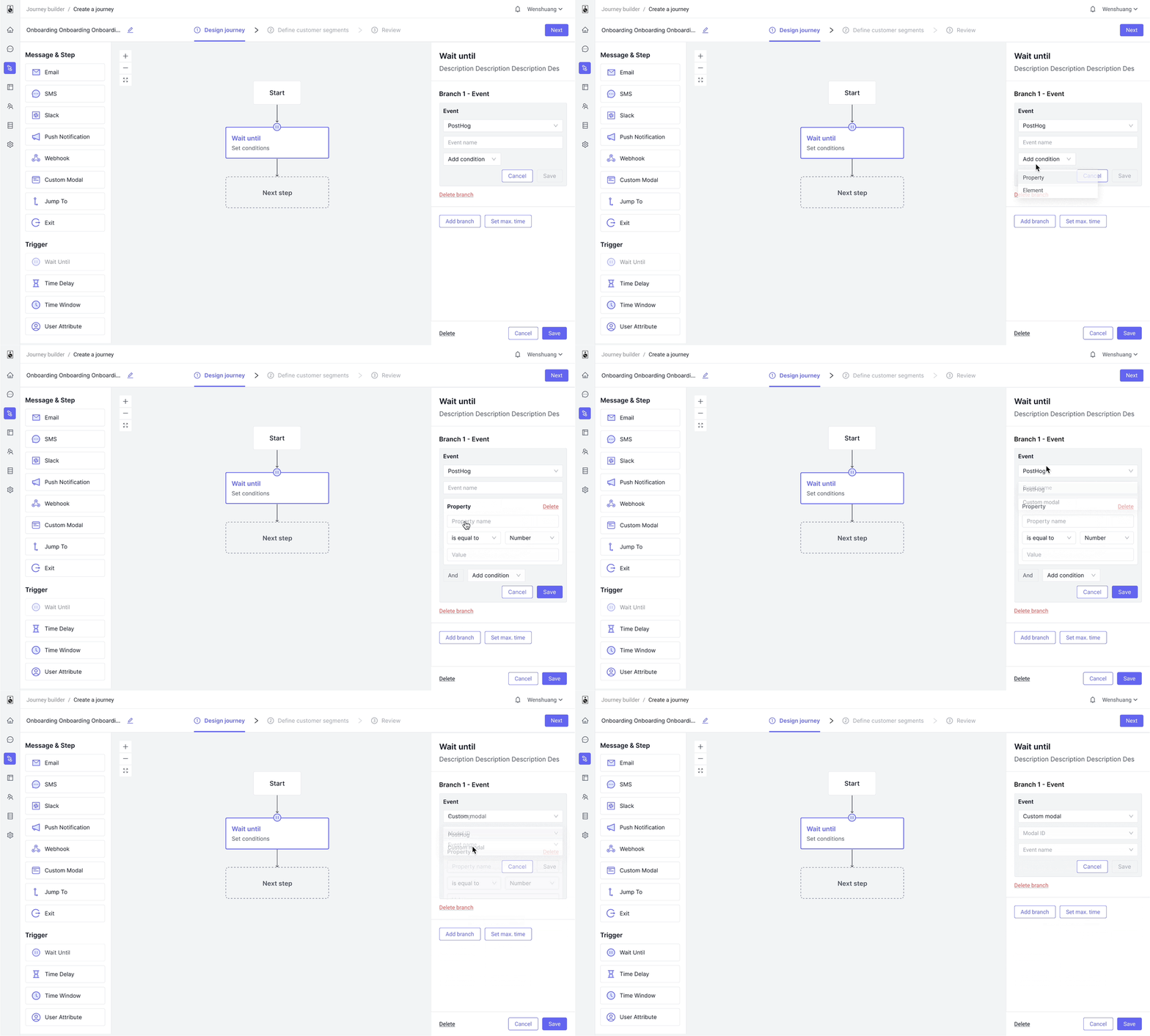
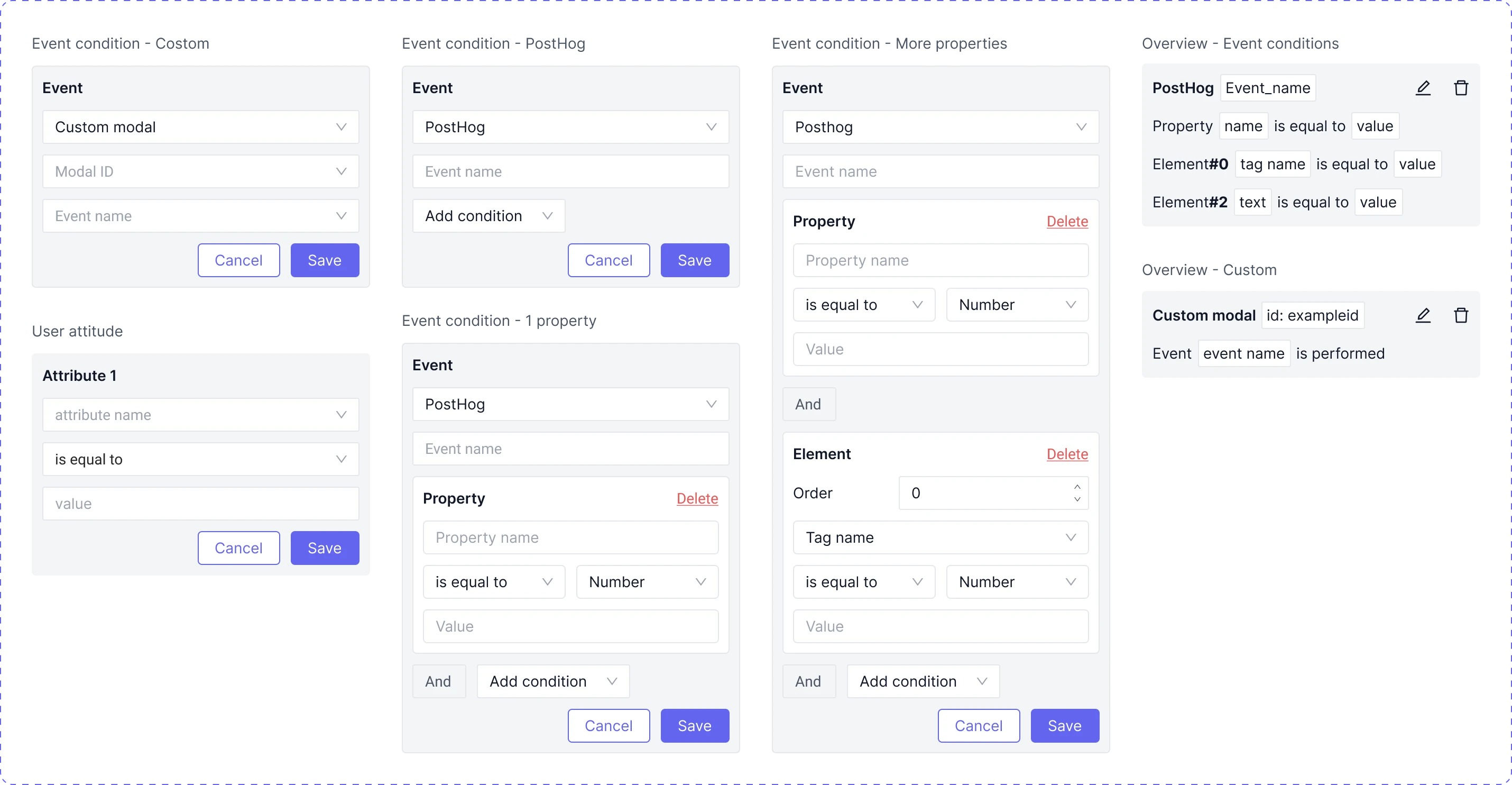
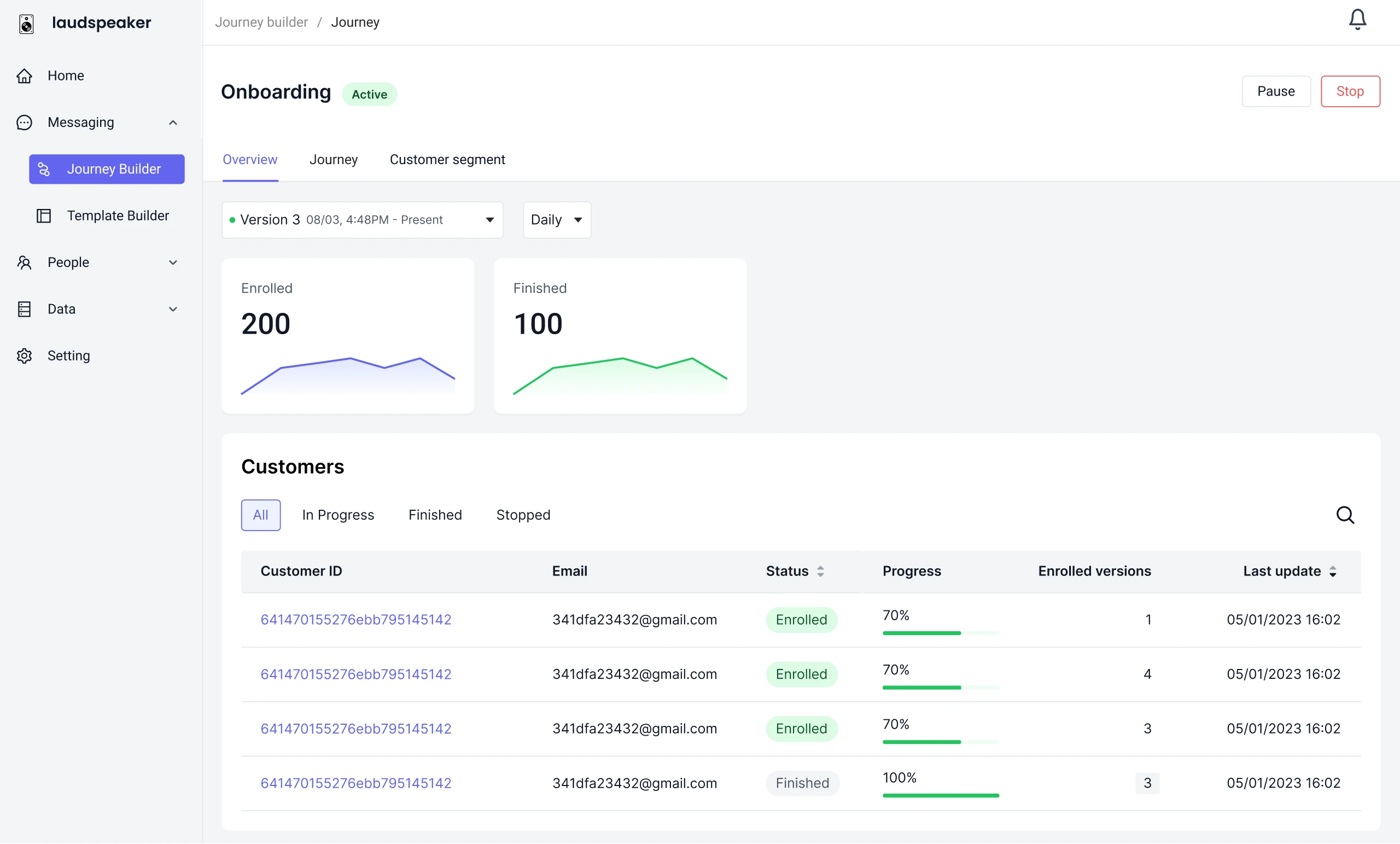
Journey data visualization
Visualizing Journey data aids users in quickly grasping Journey performance and making informed decisions
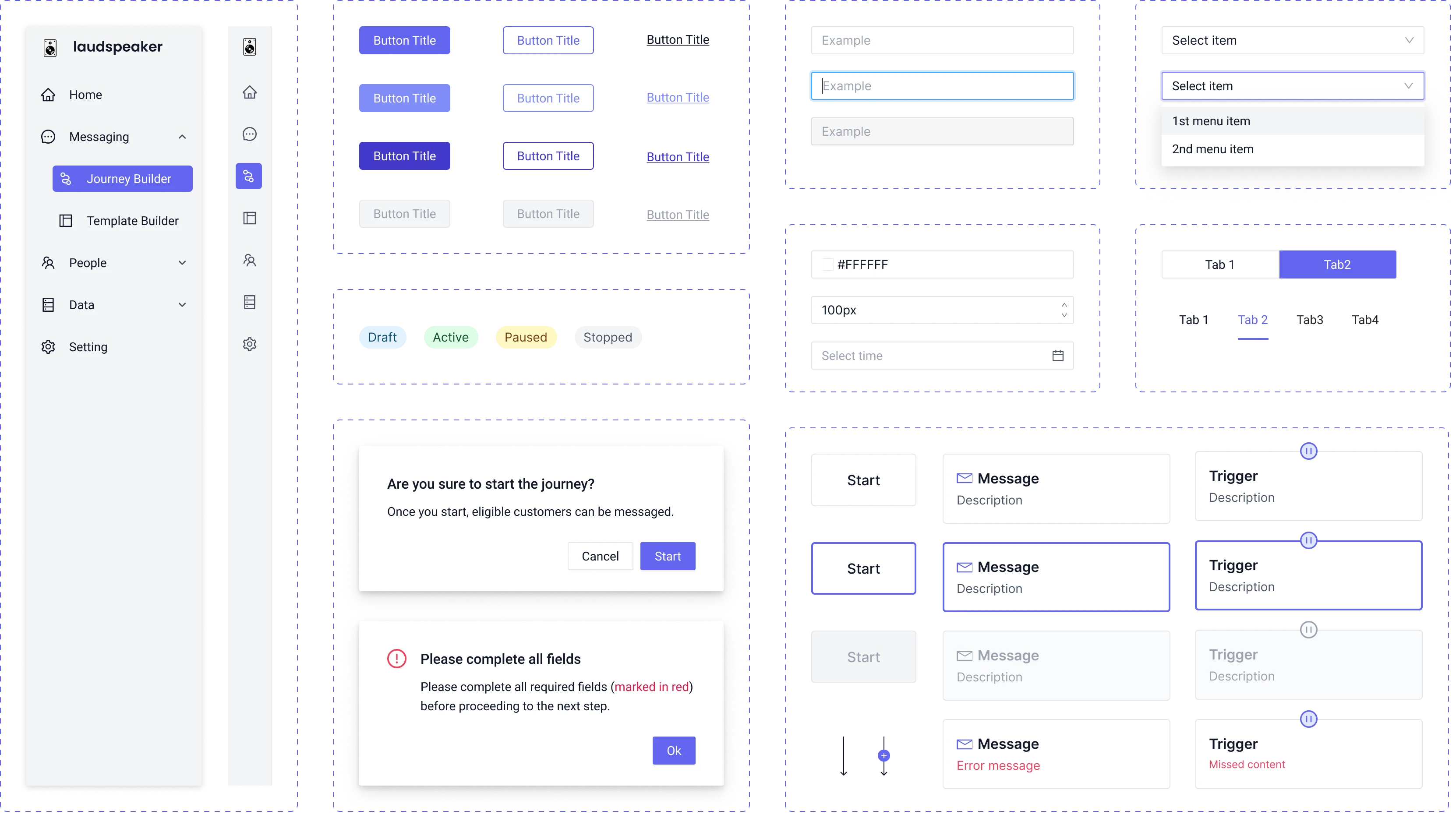
UI components
Impact
Recorded sessions showed users could now adeptly create journeys on their own.